costing24: Manufacturing Cost Calculator

✅ Detailed calculation of milled, turned, sheet metal, and laser parts
✅ Geometry is automatically detected, manufacturing processes and machines are selected accordingly
✅ Adaptable to your machinery
✅ Affordable price, no long-term commitment
✅ In your web browser or integrated into your CAD system
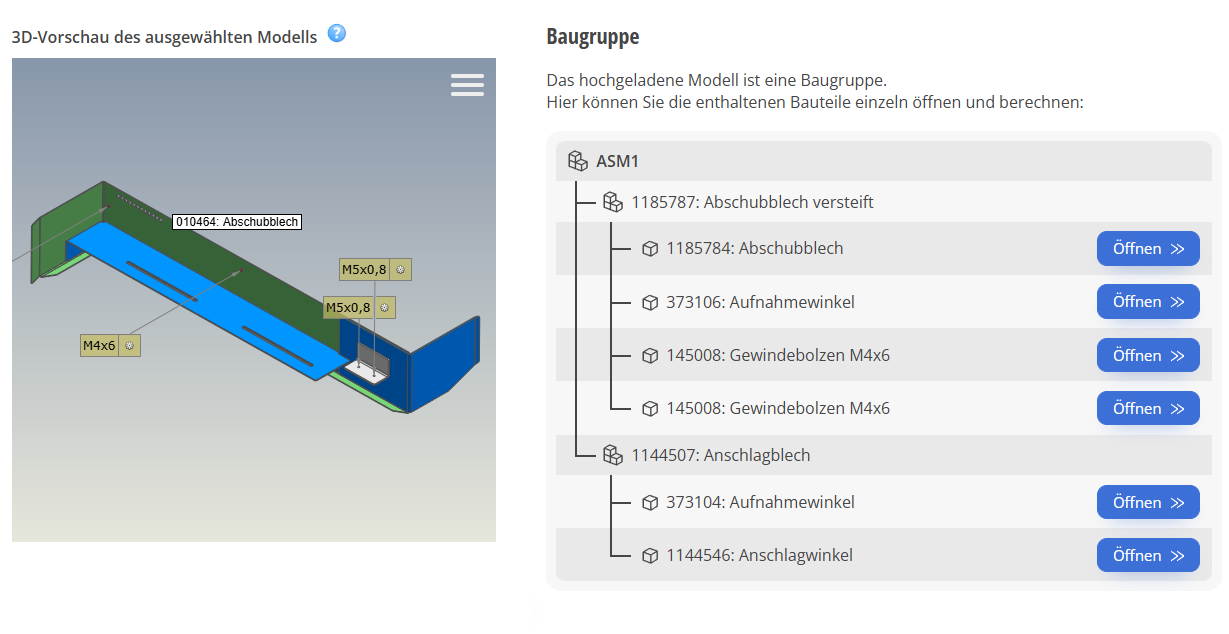
✅ NEW! Uploading of entire assemblies
✅ New – AI-based! Import 2D drawings and use them for calculations
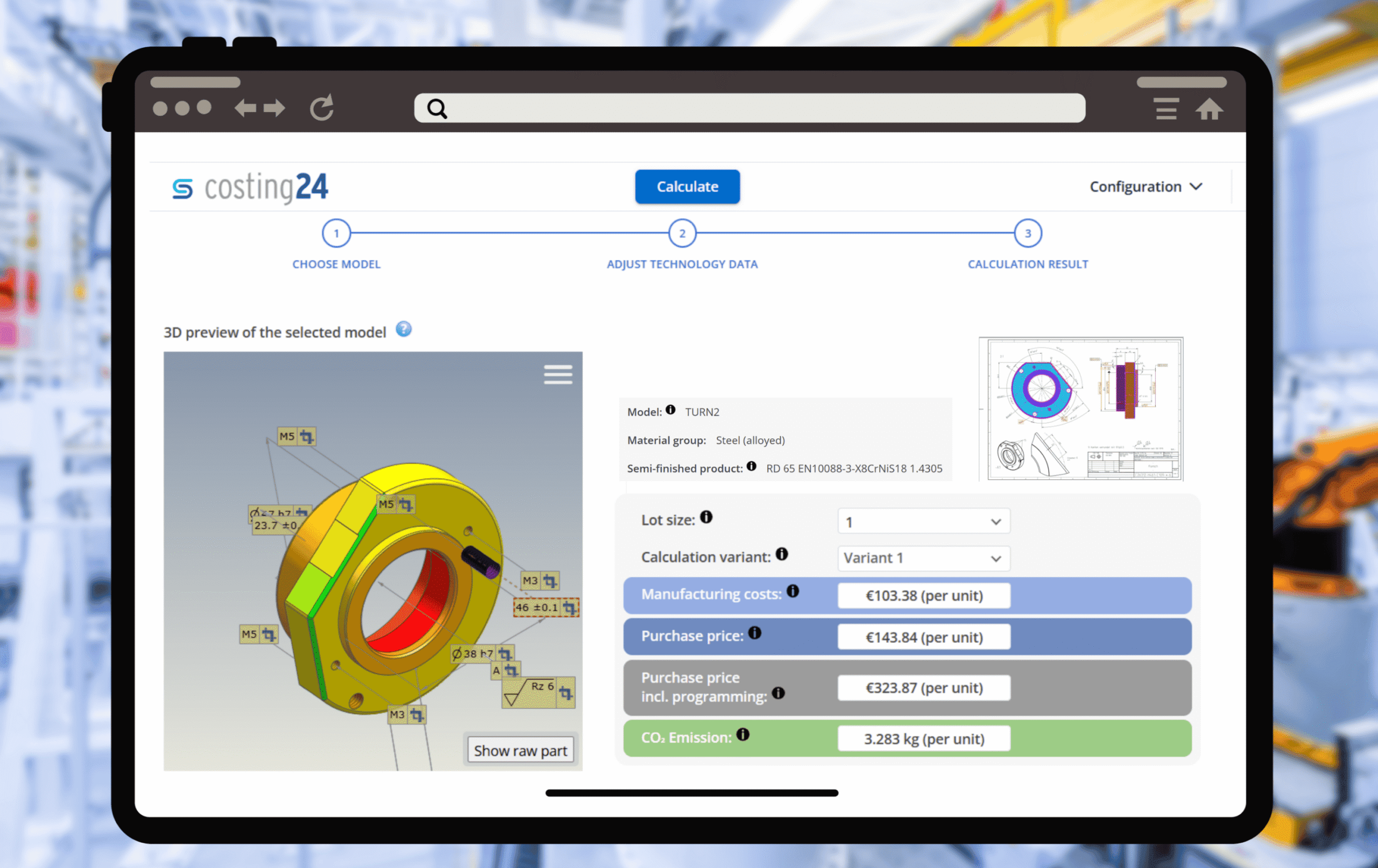
costing24: Calculate quickly. Decide confidently.

3 minute User Guide video:
We are putting an end to manual data entry: AI automatically recognizes all relevant drawing information – from dimensions and tolerances to manufacturing details – and links it directly to the 3D model.
The result is an intelligent, enriched model that serves as the ideal basis for end-to-end digital processes in design, manufacturing, and procurement. Efficient, precise, and forward-looking.
Upload entire assemblies to costing24 with a single click to calculate the associated components.






costing24 is the intelligent software for automated cost and time calculations in manufacturing.
Instead of relying on empirical values or manual Excel calculations, costing24 analyzes your CAD data directly and delivers reliable results in seconds.
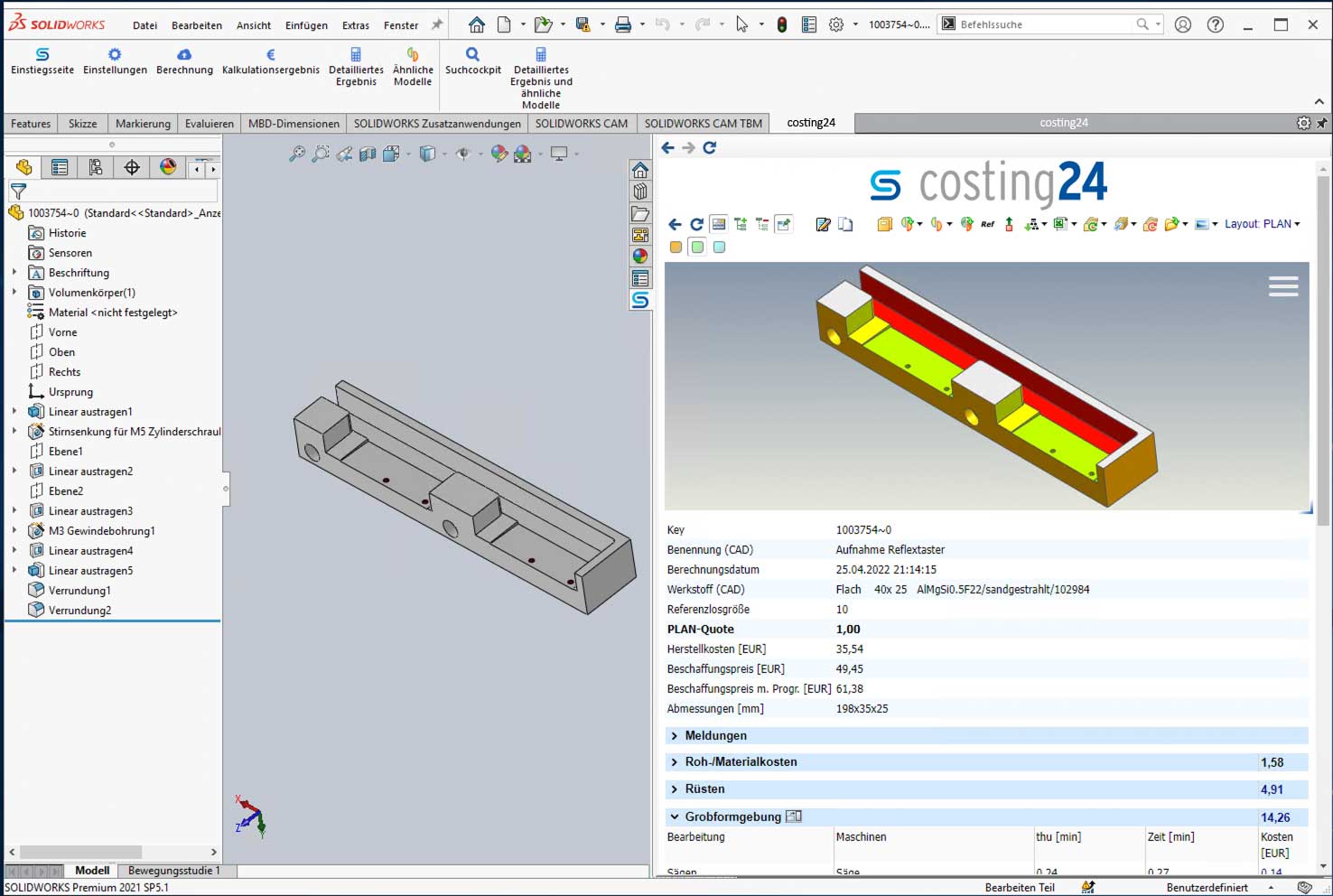
Calculation result shown in the browser …

… or integrated into the CAD system, in this case SolidWorks
Suitable raw materials are suggested automatically …

… and displayed transparently in the viewer

You can upload your own raw parts

Setup and unit costs are broken down by machine …

… and detailed shown in the cost report.

CO2 emissions are also calculated …

.. .and these are also output in detail according to the processing procedure.


For CNC machine shops:
Use costing24 as a quote calculator on your website to digitize your quotation process and provide price information to your customers in seconds!
read more »


RK Rose+Krieger room portal with cobot
RK Rose+Krieger relies on the costing24 web service from simus systems to quickly respond to customer inquiries about customized products and to support development projects. Read how the company saves considerable effort, submits quotes faster, and achieves its cost targets.
„The simple ability to quickly determine the manufacturing costs for each component and know where a project stands in terms of costs saves a lot of time and effort.“
Kai Dröge, Calculator technical procurement at RK Rose+Krieger
Read the success story:
Save time, reduce costs, negotiate better: How transparent calculations make all the difference »

costing24 is the perfect manufacturing cost calculator for turning, milling, bending and drilling processing techniques. With costing24, you calculate the manufacturing costs of your parts online – only using the CAD model.
Our data is based on on algorithms and best practice values of our classmate PLAN software which has been performing for renowned clients in the industry. More information on classmate PLAN »
Parts to be produced by turning, milling, drilling and bending processing techniques.
The following 3D CAD models are supported: SolidWorks, Solid Edge, Autodesk Inventor, Siemens NX, CATIA V5, Creo Parametric, JT (with XT-Brep), STEP, S3D (format developed by simus classmate). costing24 works independently from the modeling method used. A 3D solid is a mandatory requirement. 2D models or 3D surface models are not supported.
The suggested processing techniques correlate with machines suitable for processing. In “Settings”, you can activate machines you require for the calculation or deactivate those you do not wish to use.
Your models are protected: After the analysis of the original model, the data is stored as the s3d format developed by simus systems. The original files will not be stored and will therefore not fall into unauthorized hands. Your models will not leave German borders as the servers are located in Germany. Other users of costing24 cannot access your data.
Can be used in any common current browser, as well as on mobile devices.
classmate PLAN is a locally installed software which is integrated to the unique requirement of company processes and infrastructure in the long term in order to precalculate parts and assemblies made by your own company before work scheduling. Additionally, work schedules are generated automatically. costing24 is a web-based software providing several customizing options and therefore calculates manufacturing costs quickly and easily. Further differences in detail »
Yes, that is possible! Please contact us for details by phone +49 721 83 08 43 – 0 or by mail info@simus-systems.com
Please do not hesitate to send us an email if you have any further questions or remarks: support-cloud@simus-systems.com
or call us: +49 721 83 08 43 – 88